

For accounting and bookkeeping
Automation for accounting practices
The first week of every month should not disappear into chasing documents. We build the chase, the onboarding and the routine answers so your team spends its time on the work that needs a person.
Where it goes wrong today
Every practice knows the shape of it. Two thirds of the client base sends information on time. The rest needs four reminders, and a partner ends up sending them personally because that is the relationship.
Onboarding compounds it: engagement letters, access requests, software invitations and baseline questions, each in a different place, each with its own follow up.
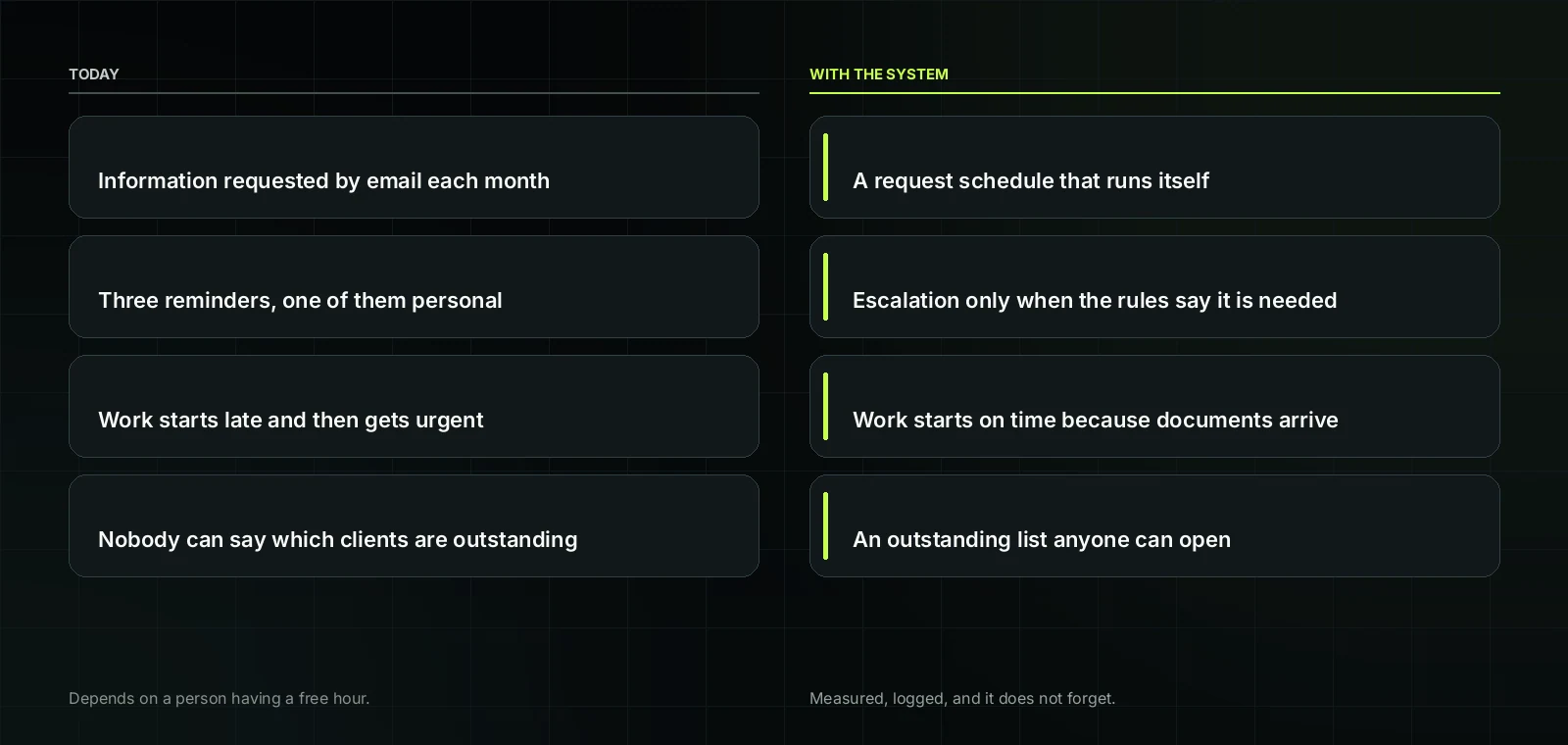
The same job, before and after.
The systems we build
Document chase and reminders
- Requests sent on a schedule with a status list anyone can read
- Escalation to a partner only when it needs one
- A single view of what is outstanding across the whole client base
Client onboarding
- One intake form producing a complete client file
- Access and software invitations issued in the right order
- Engagement and consent steps logged with dates
Routine question handling
- Repeat questions answered from your own approved wording
- Anything unusual escalated with context attached
- Every interaction recorded against the client
Workflow reporting
- How many clients are waiting on what
- Average chase duration per client
- Where deadlines are genuinely at risk, early enough to act
How it fits together
It works with your practice management software and document storage, not against them. The first deployment is almost always the document chase, because it removes the single largest block of unpaid partner time in a practice.
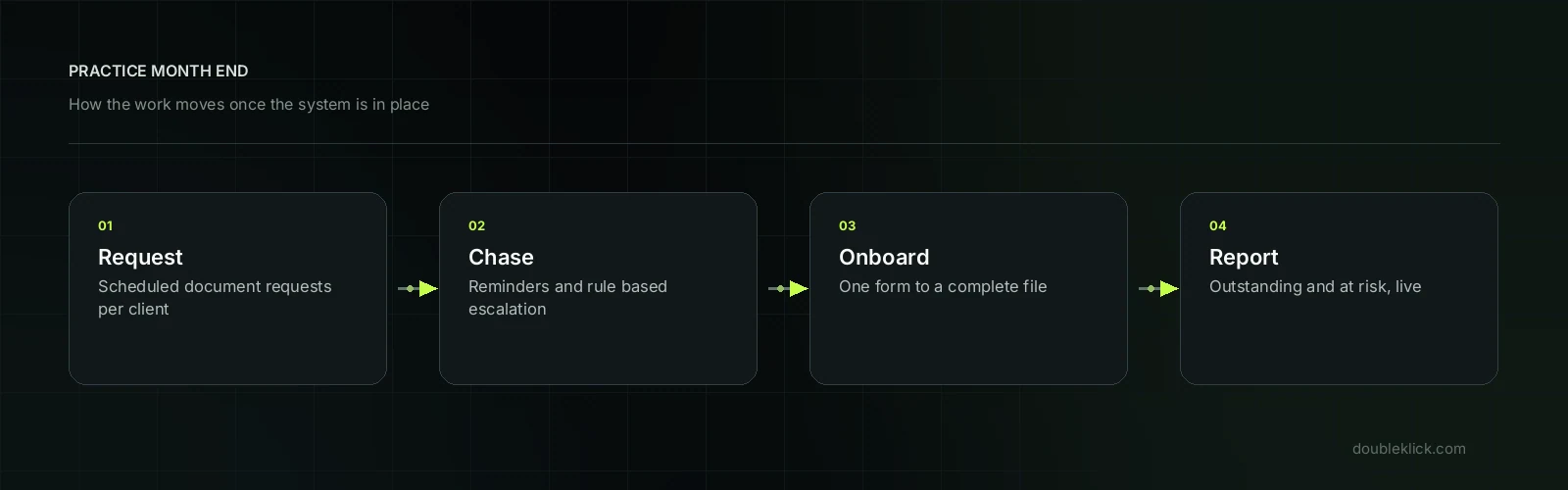
How an enquiry moves once the system is in place.
What actually changes
Month end stops being an argument with clients and becomes a list with a status. Partners stop personally chasing documents. Onboarding a client takes one form instead of a dozen emails.
Questions we get asked
Will clients mind automated reminders?
In practice they arrive on time and consistent rather than randomly and personally. Tone is set by you.
Can it handle SMSF or trust variations?
Yes, by making the request set depend on the client's structure.
Does it store client documents?
No. Documents stay in your document system. The system tracks requests, not contents.
What about e-signature?
It integrates with whatever you already use for engagement letters and consents.
Next Step
Twenty minutes finds the first two jobs worth automating.
We will tell you which ones to leave alone as well, and why.